4.2. Create WAF Parent Policy
Task 1 - Create a parent waf policy using info on table below:
| Policy Name | waf_Base |
| Policy Type | Parent |
| Policy Template | Rapid Deployment Policy |
| Learning Mode | manual |
| Enforcement Mode | Blocking |
| Signature Staging | Disabled |
Select the Security->Application Security->Security Policies->Policies List page
Click Create New Policy
Select Advanced options
Enter
waf_basefor Policy NameSelect Parent for Policy Type
Select Rapid Deployment Policy for Policy Template
Select Manual for Learning Mode
Change Enforcement Mode to Blocking
Change Signature Staging to Disabled
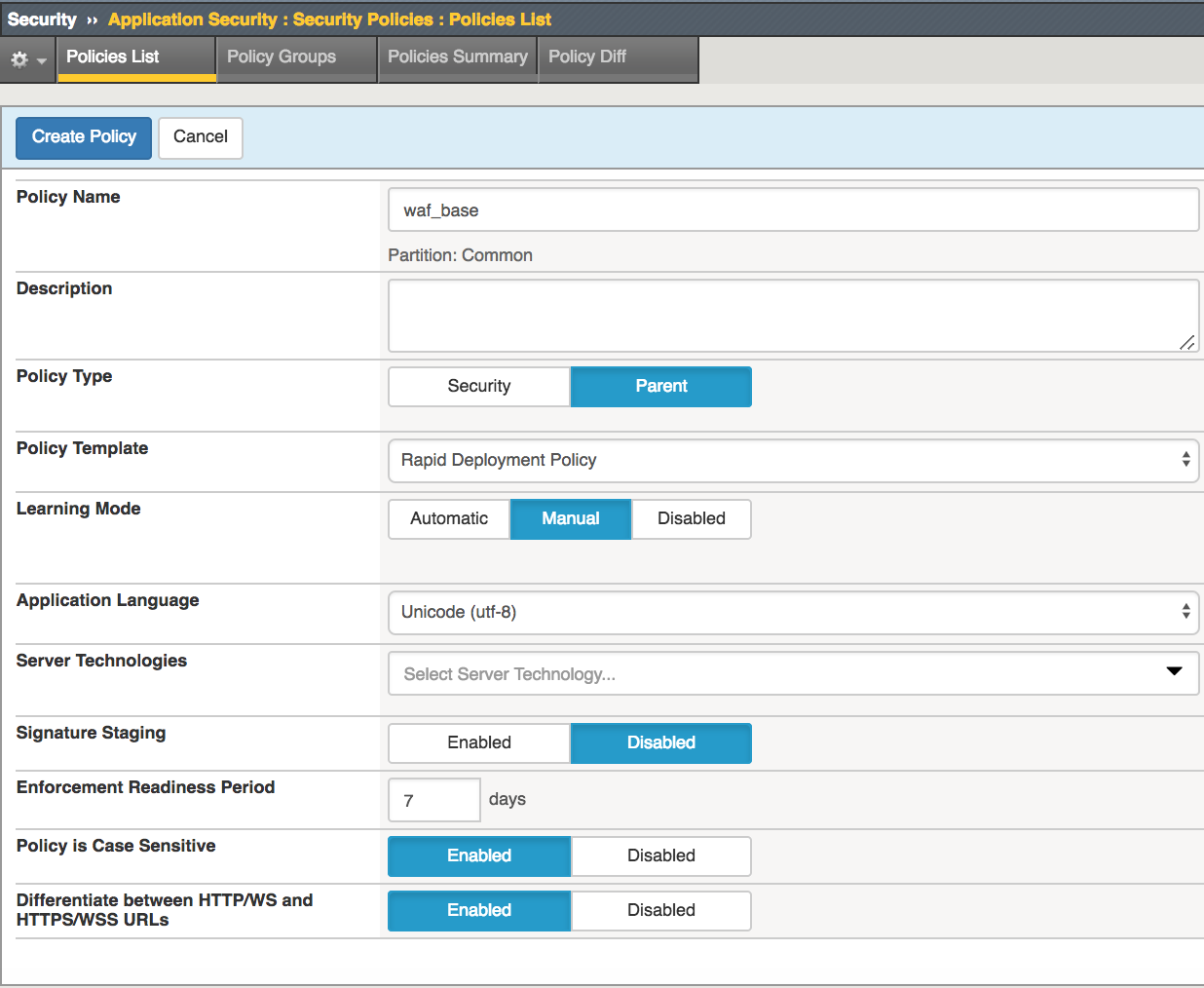
Click Create Policy
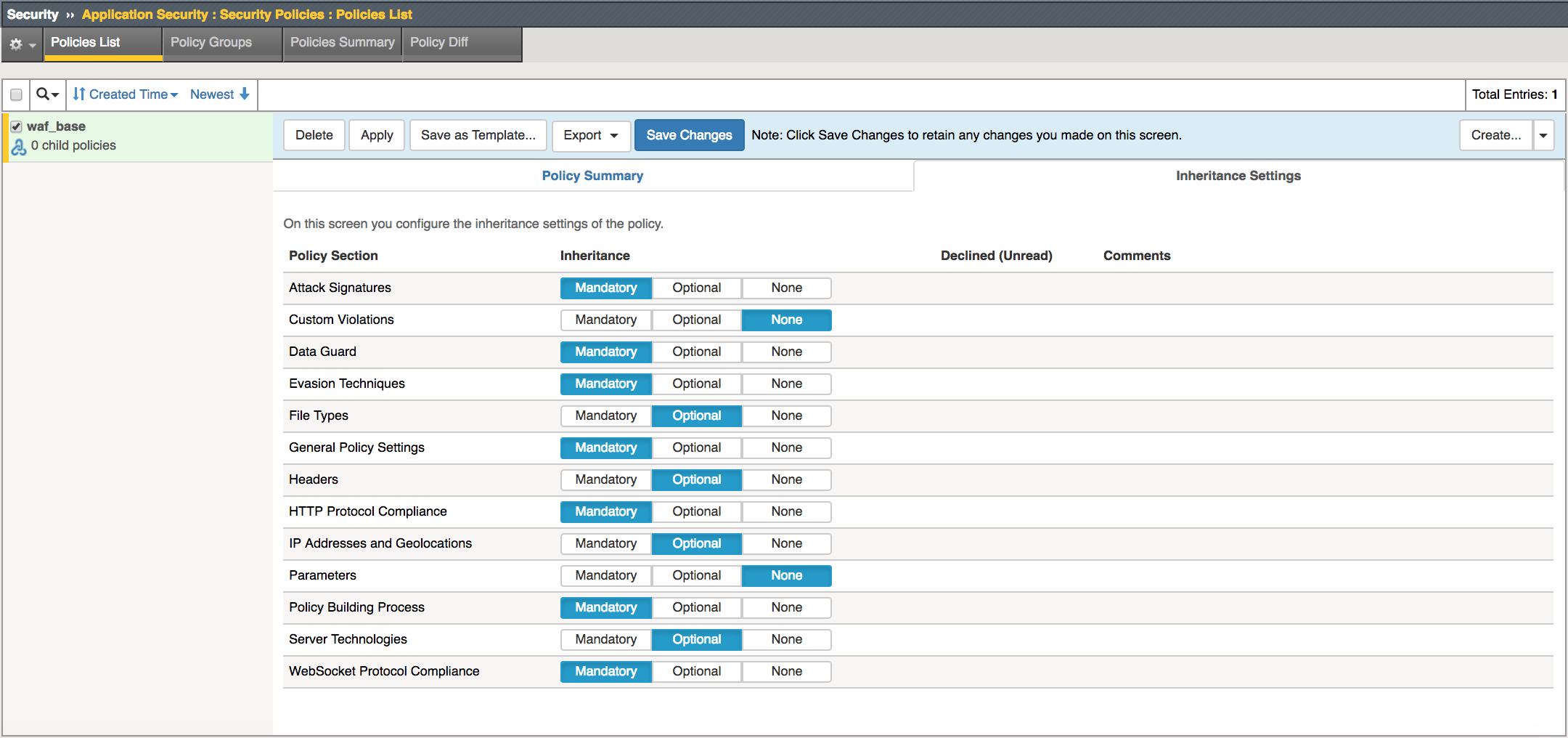
Once the policy is created, with
parent_policyselected, in the right panel clickInheritance Settings.Configure the following inheritance settings, and then click Save Changes
Note
Beginning in BIG-IP ASM 13.0.0, you can create a parent security policy and have child security policies refer to it (layered policies). A parent security policy defines common Policy Section elements and settings that provide baseline protection for your environment and are inherited by all child policies attached to it. You identify the elements and settings that can be modified in child security policies and those that are mandatory and cannot be modified. When you modify elements and settings in the parent security policy, the system rapidly applies them to all attached child policies.