4.5. Update Parent WAF Policy
Task 1 - Simulate attacks to demonstrate newly discovered vulnerability.
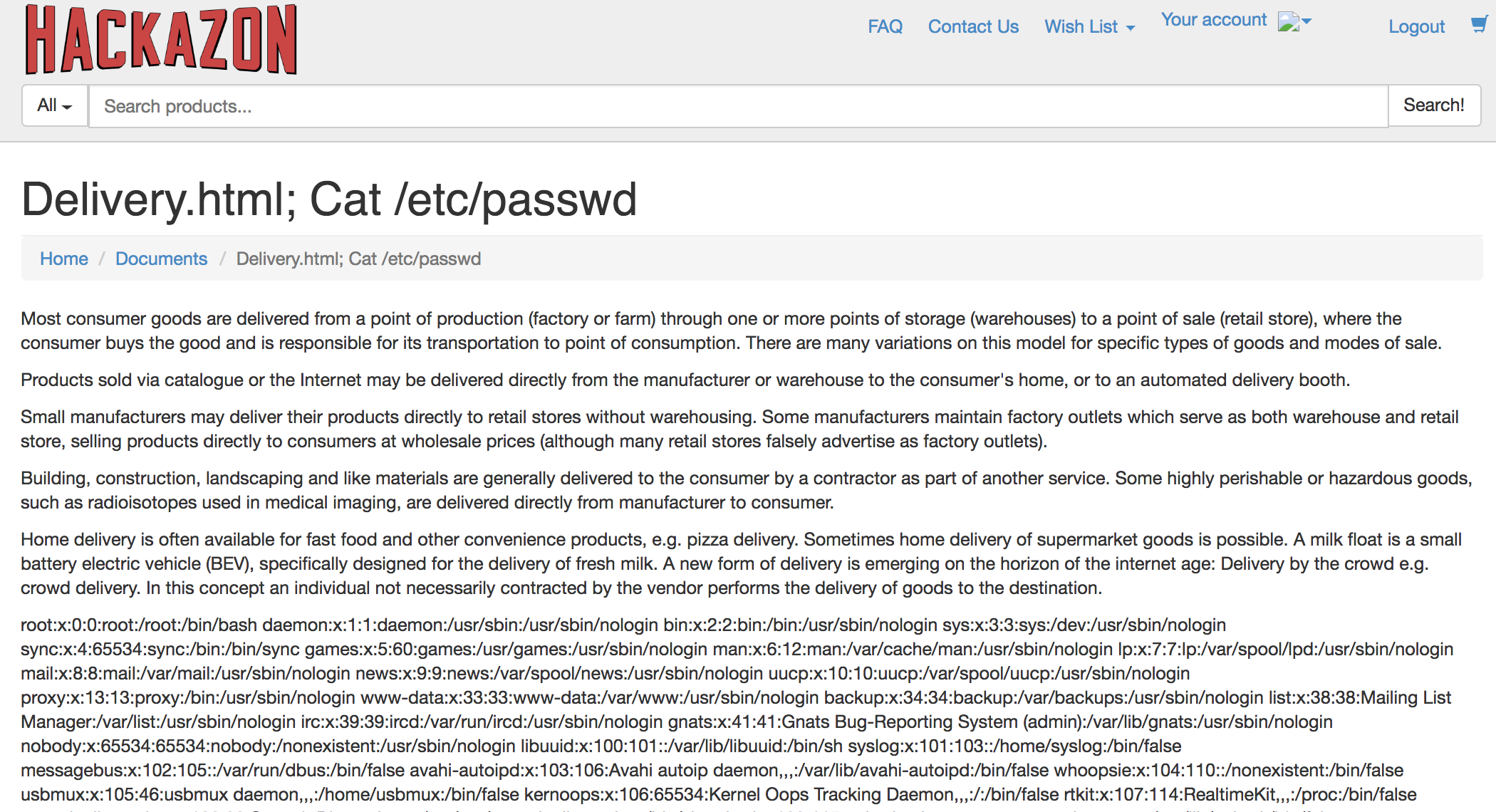
Open browser on jump server and go to
https://<Elastic IP>/account/documents?page=delivery.html;%20cat%20/etc/passwdEnter credentials to login successfully.
Note
This is a common
OS command injectionattack. Upon successful login it displayed the desired page along with the results forcat /etc/passwd.
Task 2 - Modify the parent waf policy to mitigate the command injection vulnerability
Open the Security->Application Security->Security Policies->Policies List page
Select
waf_basethen clickwaf_baseto view properties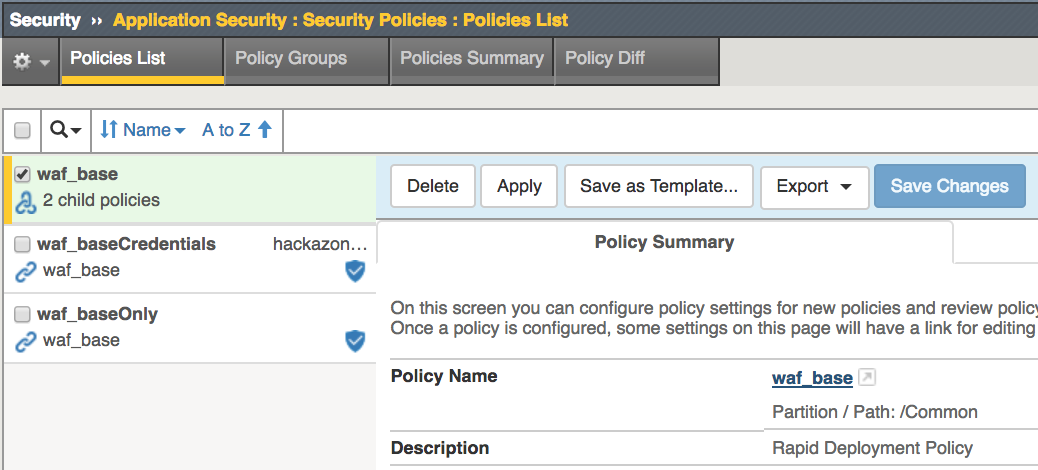
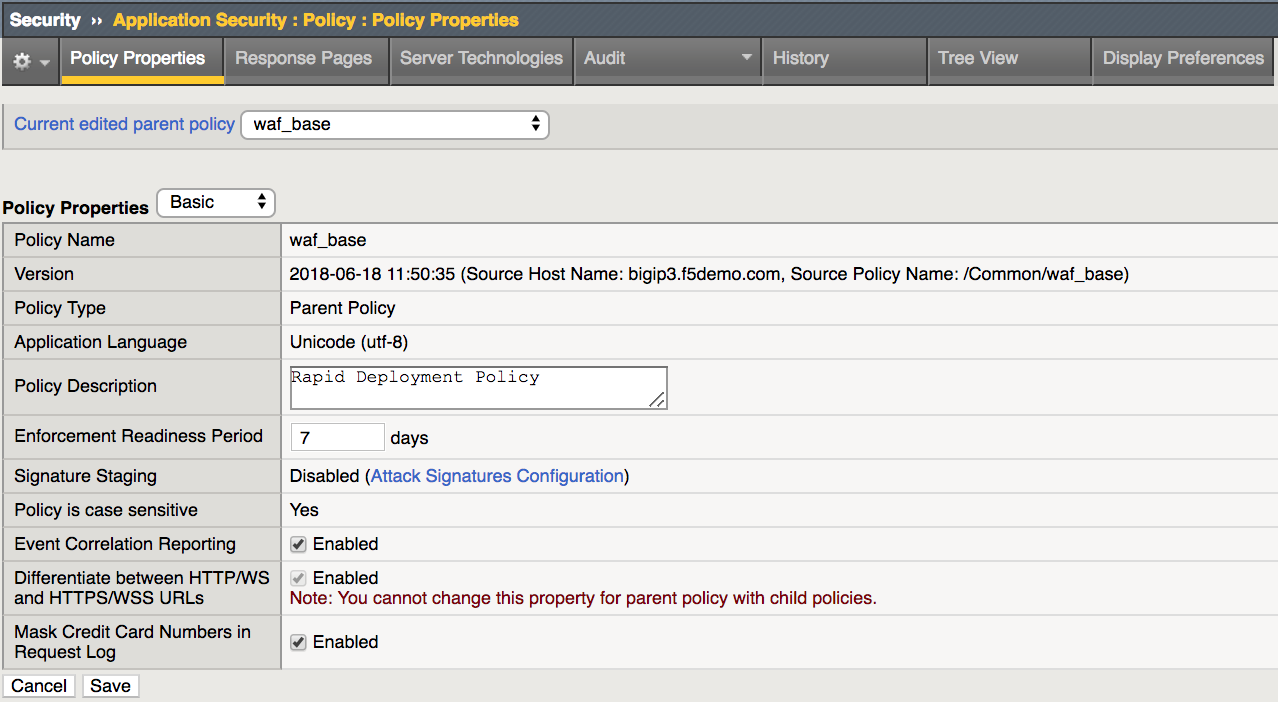
Click on
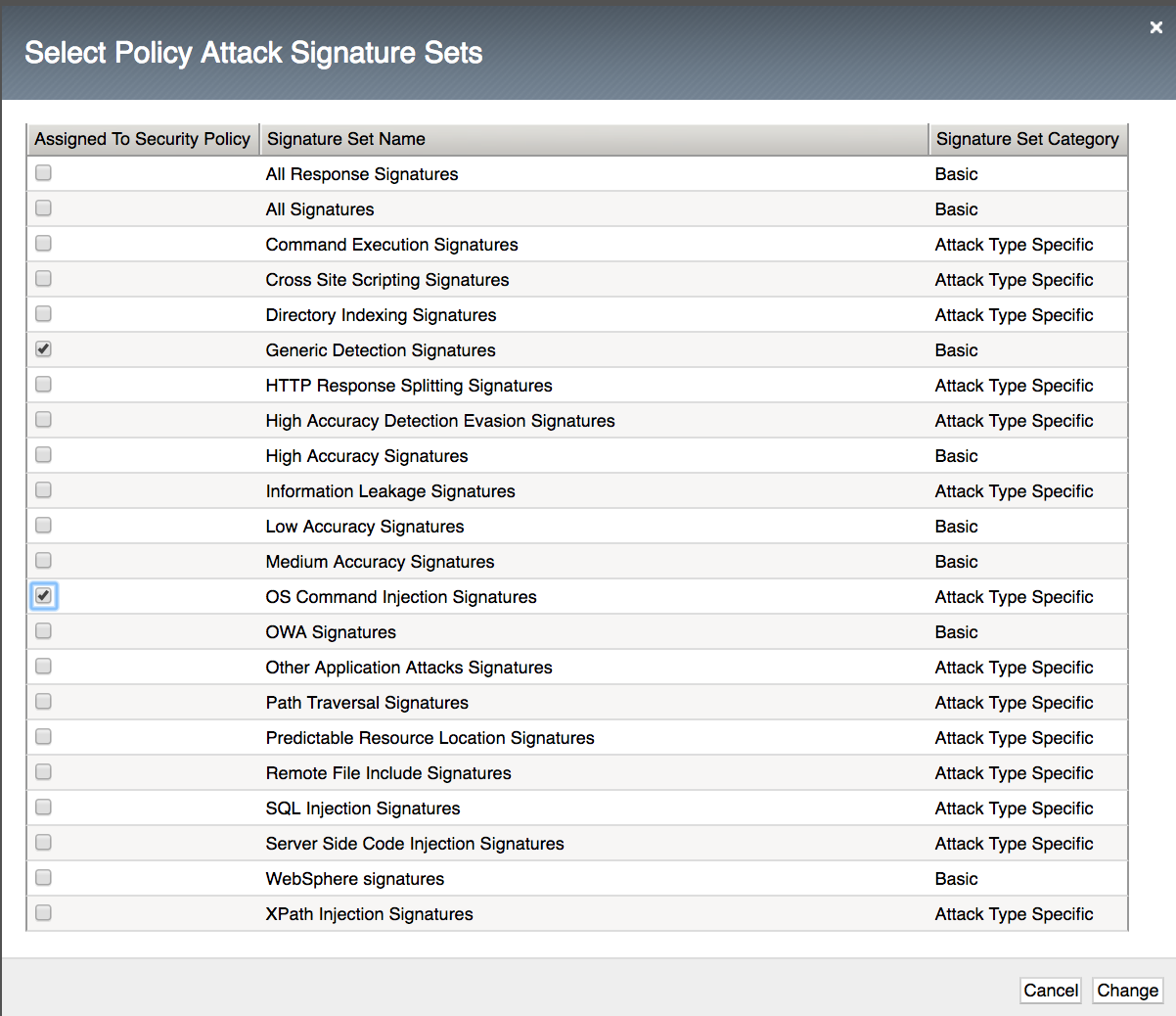
Attack Signatures ConfigurationOn the Attack Signatures section click Change

Click OS Command Injection Signatures check box then click Change
Click Save at the bottom of the properties page
Click Apply Policy to commit changes

Task 6 - Repeat simulated command injection attack
Open browser on jump server and go to
https://<Elastic IP>/account/documents?page=delivery.html;%20cat%20/etc/passwdYour request should be rejected.
Note
Updates to the Parent policy will be inherited by the Child policies based on the Inheritance configuration. Since
waf_baseparent policy Attack Signatures was Mandatory all Child policies inherited the changes.