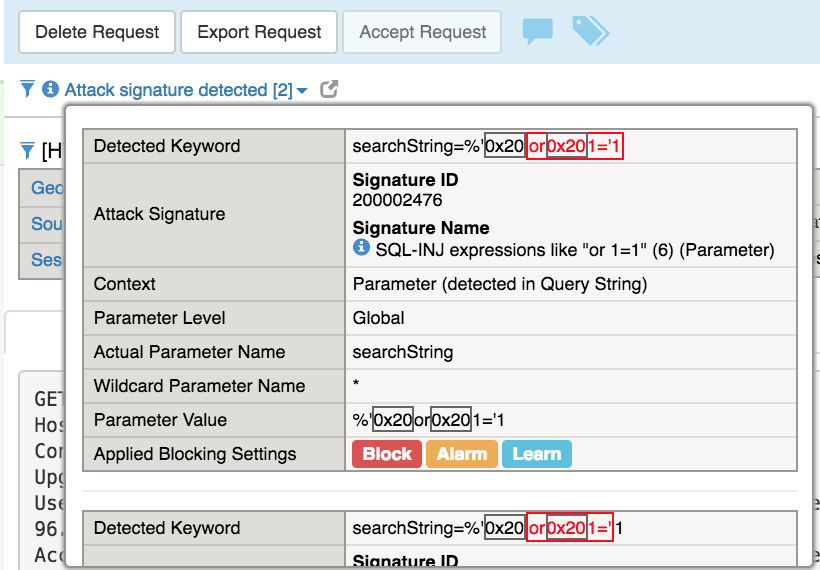
4.3. Create Base WAF Child Policy
Task 1 - Simulate attacks to demonstrate common web app vulnerabilities.
Open browser on jump server and go to
https://<Elastic IP>Enter
%' or 1='1in Search field and press EnterNote
This is a common
sql injectionattack and although this did not return anything exciting the search request was accepted and processed with response.Enter
<script>alert("Your system is infected! Call 999-888-7777 for help.")</script>in Search field and press EnterNote
This is a common
Cross-site scripting (XSS)attack and although this did not return anything exciting the search request was accepted and processed with response.
Task 2 - Create new waf policy to mitigate the vulnerabilities using info on table below:
| Policy Name | waf_baseOnly |
| Policy Type | Security |
| Parent Policy | waf_base |
| Virtual Server | hackazon_vs |
| Enforcement Mode | Blocking |
Select the Security->Application Security->Security Policies->Policies List page
Click Create New Policy
Select Advanced options
Enter
waf_baseOnlyfor Policy NameSelect Security for Policy Type
Enter
waf_basefor Parent PolicySelect
hackazon_vsfor Virtual ServerChange Enforcement Mode to Blocking
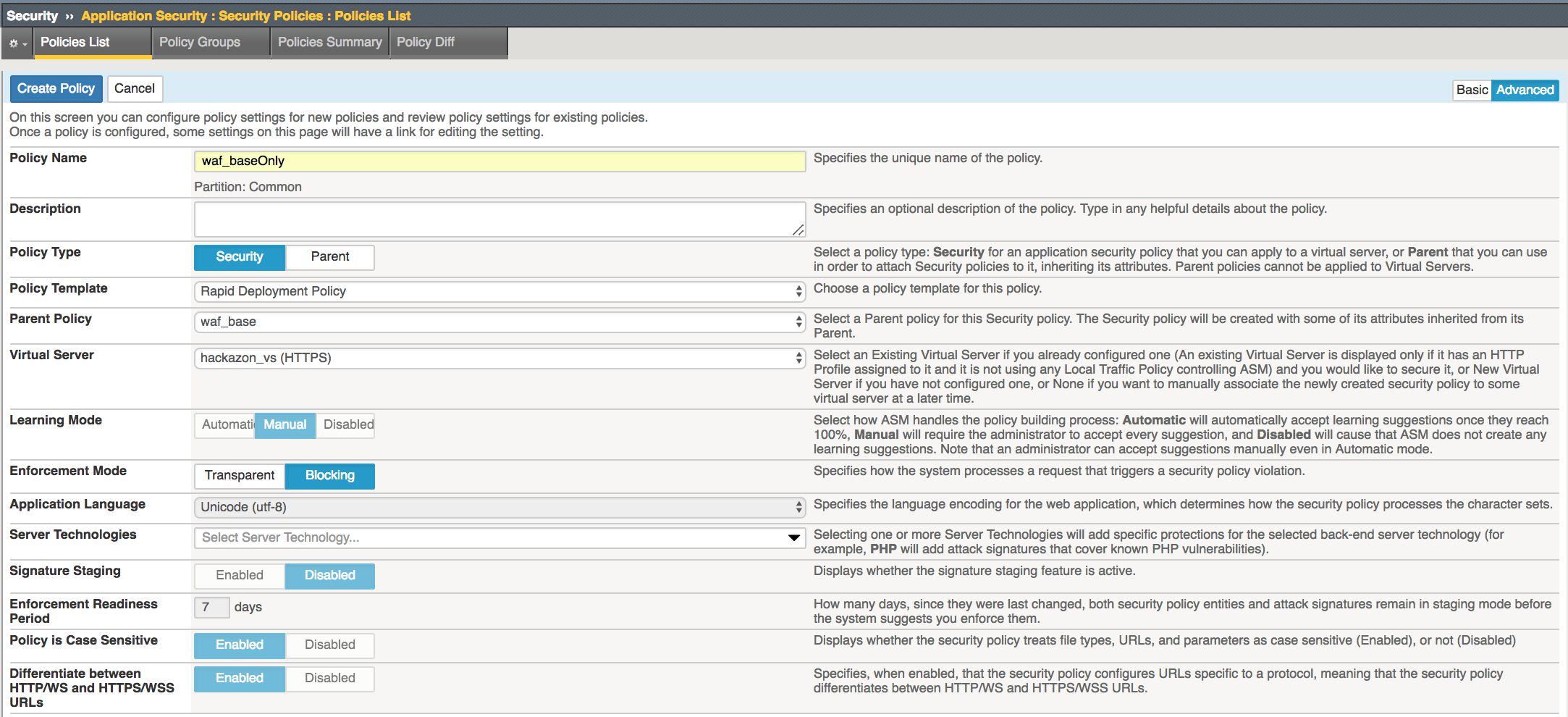
Click Create Policy
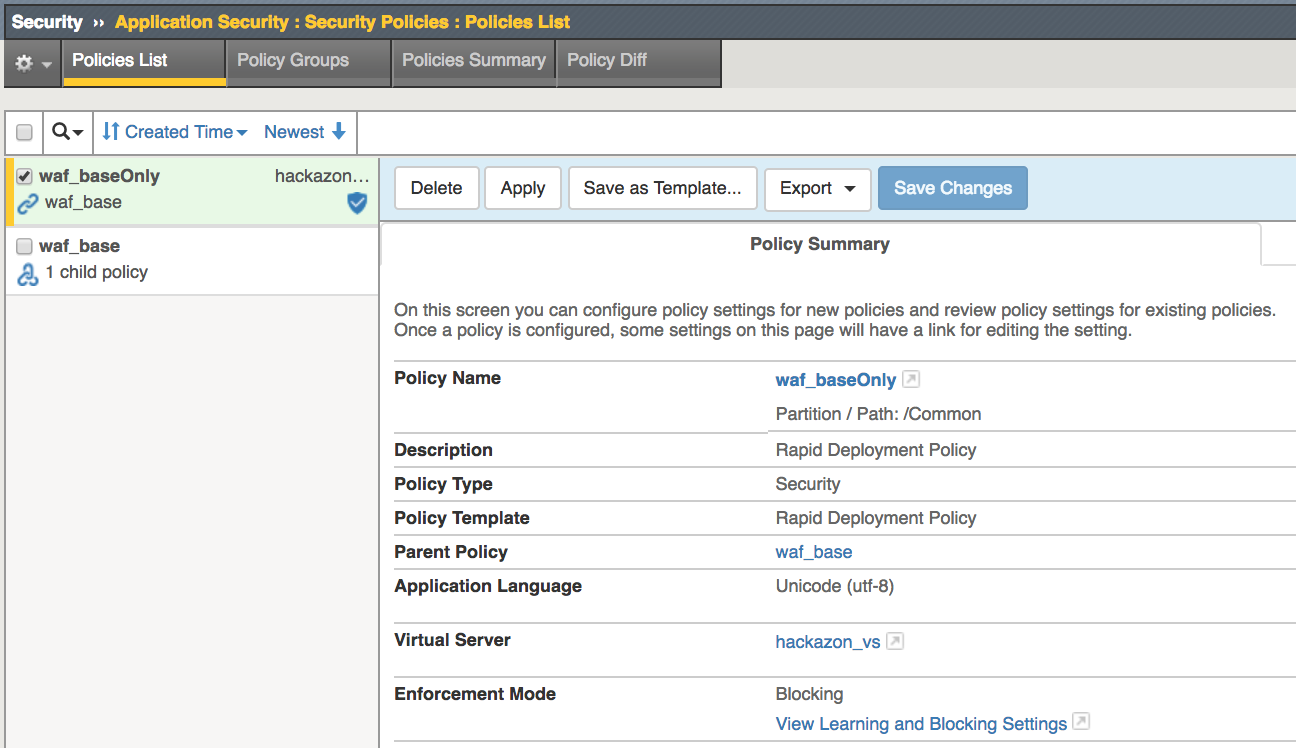
Note
This creates a child security policy which inherits the settings from the waf_base Parent Policy. The parent policy settings was created using Rapid Deployment Template which includes several common security measures and thousands of attack signatures. Signature Staging is Disabled for this lab demo but most likely will be enabled for production environments.
Task 3 - Test WAF policy.
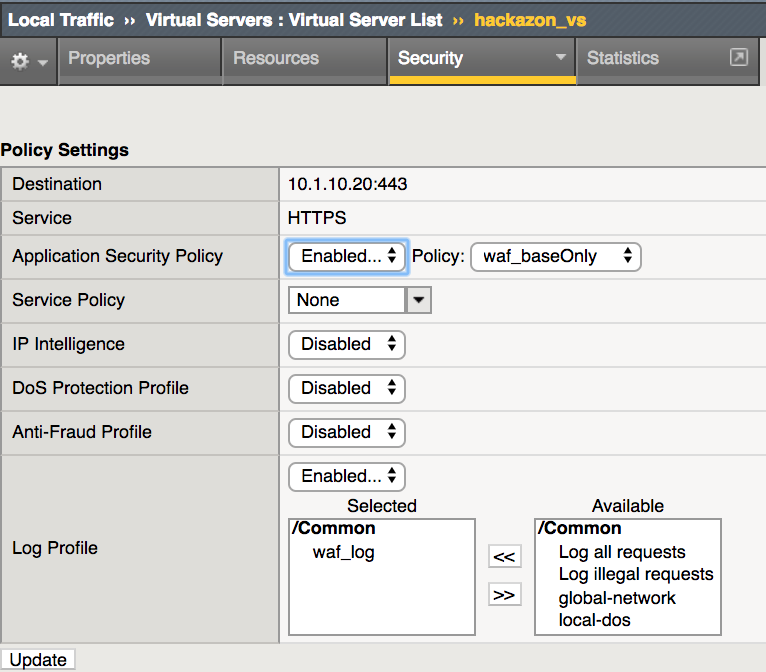
Select the Virtual Servers->Virtual Servers List page
Click the hackazon_vs to display virtual server properties
Click the Security->Policies tab to display Policy Settings
Ensure waf_log profile is selected in the Log Profile
Select update
Open browser on jump server and go to
https://<Elastic IP>Enter
%' or 1='1in Search field and press Enter. You should receive a block message similar to below. Take note of the Support ID number.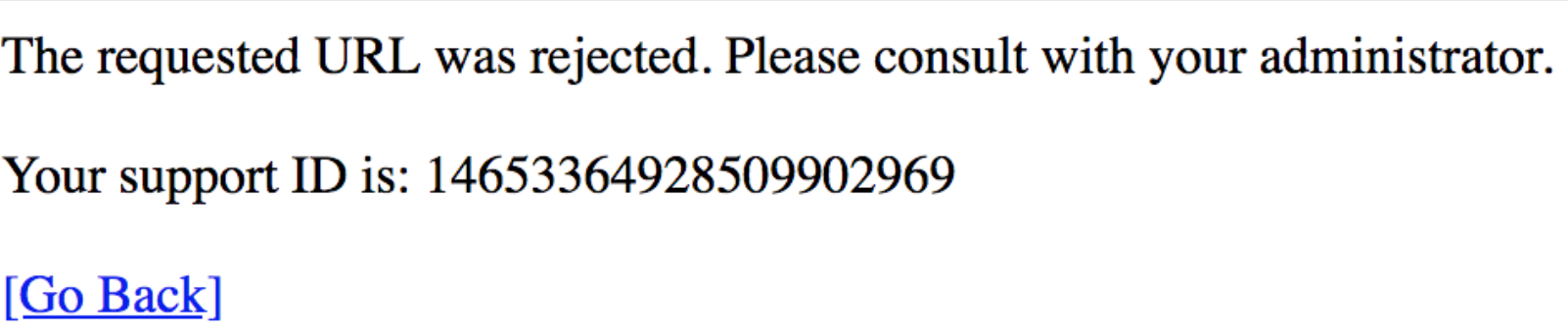
Return to hackazon main page
Enter
<script>alert("Your system is infected! Call 999-888-7777 for help.")</script>in Search field and press Enter. You should see a similar block message. Take note of the Support ID number.
Task 4 - Review WAF event logs on BIG-IP GUI.
Select the Security->Event Logs->Application->Requests page
Select the
Eventwith the matchingSupport IDnoted on the block pages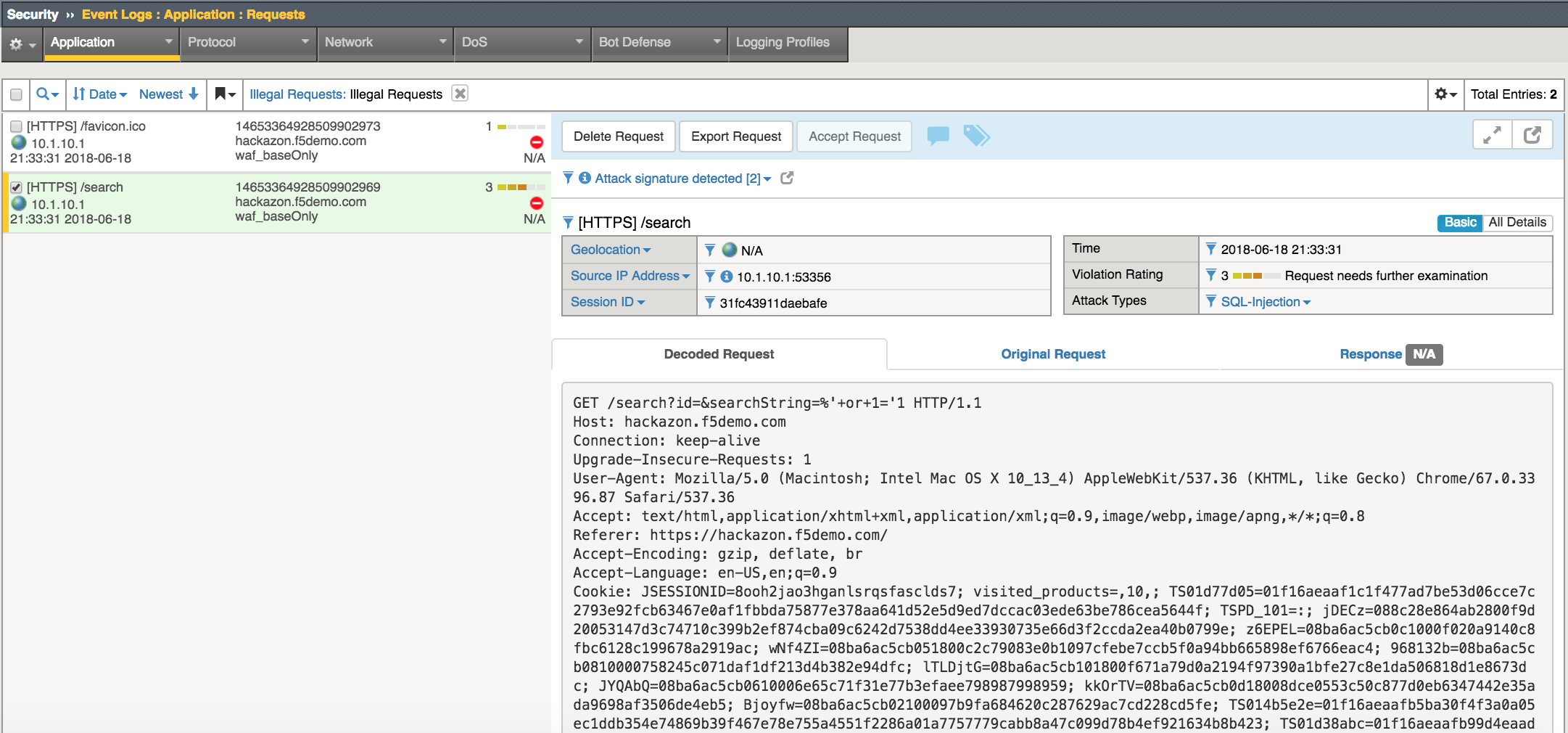
Note
You can view the “Decoded Requests” and the “Original Request” however the
Responseis not captured by default.Select
Attack Signatures Detectedto view details of the request that triggered the violation.